Account Settings
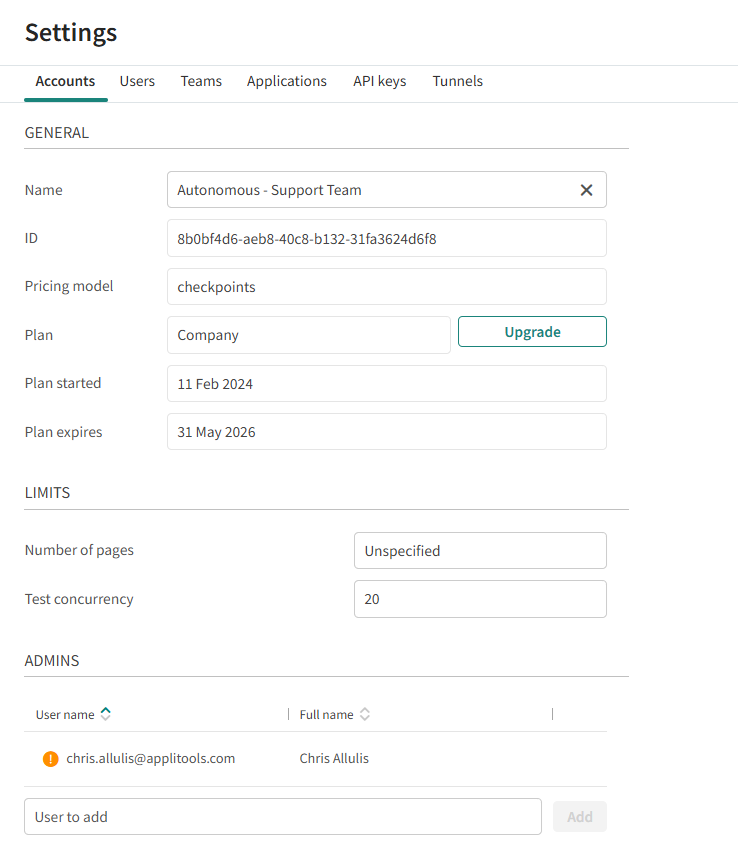
The Account Settings page lets administrators view and modify account settings.
To open the Accounts Setting page, select
 >
Accounts.
>
Accounts.
Adding or Removing Administrators
The right side of the Accounts window shows a list of Autonomous administrators. Click on a name to view details of the user. Only Administrators have access to the Accounts page.
To Add an Administrator
In the field at the bottom of the list of administrators, enter the email address of an Autonomous user and click Add.
To Remove an Administrator
Hover over the name of an administrators and click

Upgrading Your Plan
Your plan may be limited in the number of screens that can be included in a test and the number of tests. To upgrade the plan, click Upgrade and select the option that meets your needs.