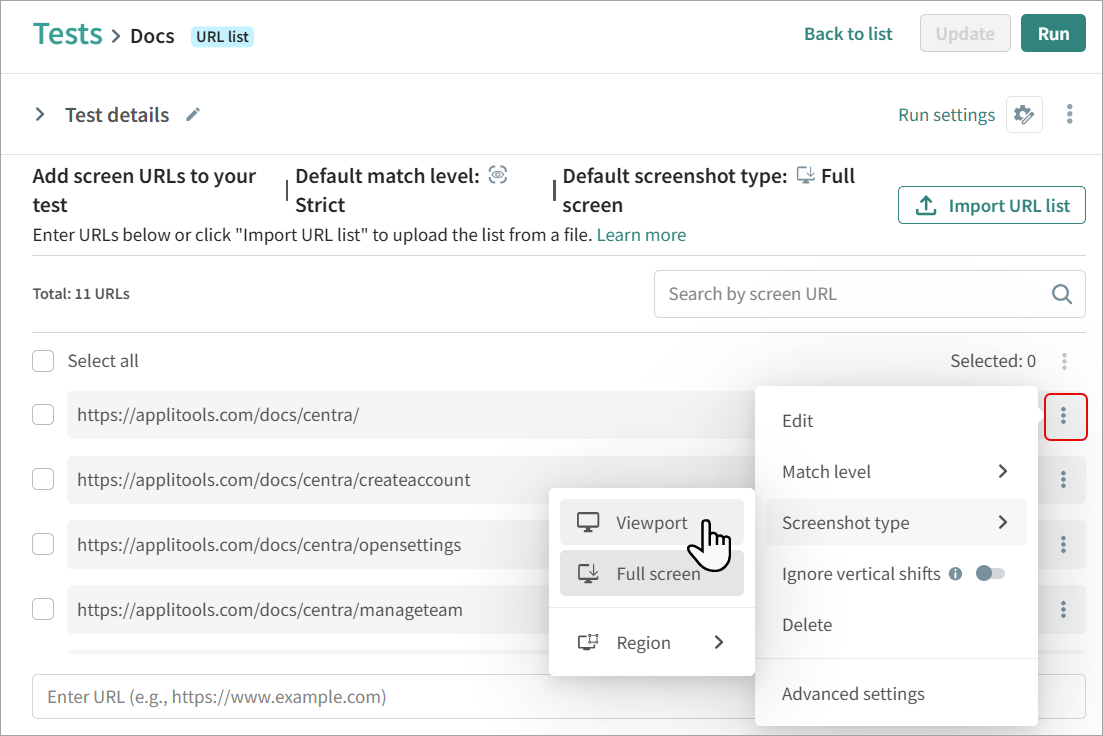
Screenshot Type
The screenshot type determines what will be included in the screenshot. Autonomous includes the following screenshot types:
- Full Screen – The image includes the complete screen, scrolling to the bottom of the screen.
- Viewpoint – The image includes only content displayed on the screen, without scrolling.
- Region – An element or region of the screen as determined by the CSS or XPath.
How To Set the Screenshot Type in a Full Website Test
To select the screenshot type for multiple URLs, in the list of URLs, select the required URLs and click  > Screenshot type and select the required type.
To set the screenshot type for a single URL, next to the URL click and select a screenshot type.